
Download Free 3D Earth Screensaver – 3D Earth, screensaver, Earth rotation, Earth orbit, day and night cycle, atmosphere effects, visual settings, free 3D Earth screensaver
Overview
The Free 3D Earth Screensaver delivers a visually immersive experience by presenting a dynamic, three-dimensional model of Earth from a space-based perspective. Designed for users seeking a captivating and serene digital display, the screensaver simulates Earth’s rotation on its axis and its orbital movement, offering a continuous, evolving visual narrative. This application serves as a digital art piece and a subtle reminder of Earth’s place in the cosmos, appealing to users who appreciate natural beauty, astronomy, or minimalist desktop aesthetics.
It is particularly suited for individuals who spend long hours at their computer and wish to add a calming, engaging element to their workspace. The developer, Thomas P. Larson, is credited with creating this standalone utility, though no further background on the developer or their other projects is available.
The screensaver operates as a lightweight tool, making it suitable for use on a wide range of Windows systems without significant performance impact. Real-world applications include enhancing office environments, enriching home setups, or serving as a conversation starter in educational or creative spaces. In the broader context of digital utilities, Free 3D Earth Screensaver occupies a niche as a visually driven, non-interactive tool that contributes to the ecosystem of desktop personalization and ambient computing.
Key Features & Functionality
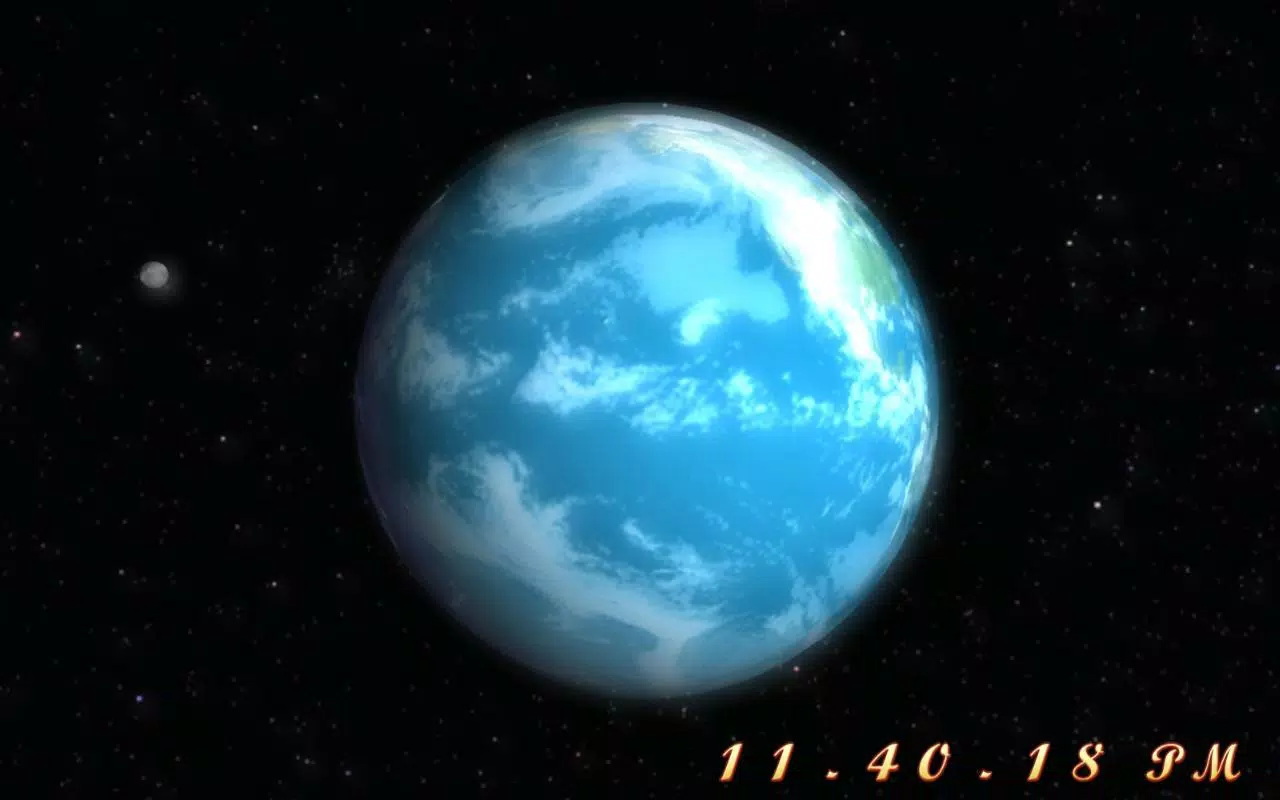
- Dynamic Earth Rotation: The Earth rotates continuously on its axis, mimicking real-world movement. This feature provides a fluid, natural motion that keeps the display visually engaging over time.
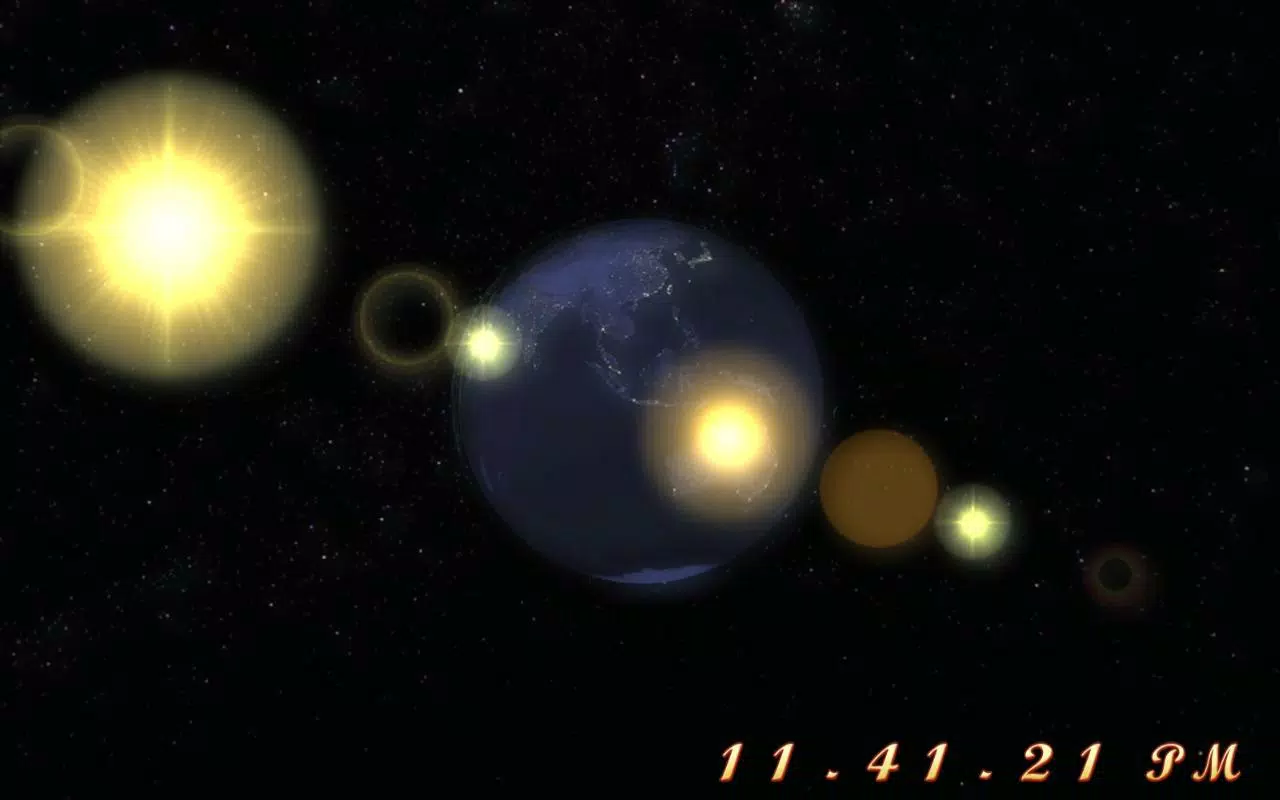
- Earth Orbit Simulation: The screensaver includes a subtle orbital path, illustrating Earth’s movement around the Sun. This adds a layer of realism and educational value, especially for users interested in planetary motion.
- Day and Night Cycle: The surface transitions smoothly between daylight and darkness, with illuminated regions reflecting sunlight and nighttime areas displaying city lights and natural phenomena like auroras.
- Realistic Atmosphere Effects: A soft, blurred edge around the planet simulates Earth’s atmosphere, enhancing depth and visual fidelity. This effect contributes to a more lifelike representation.
- Customizable Visual Settings: Users can adjust display parameters such as rotation speed, lighting intensity, and visual effects to tailor the experience to their preferences.
These features combine to create a passive yet immersive experience. For example, a user working late at night might appreciate the realistic night view with glowing city clusters, while someone in a creative studio may use the screensaver to inspire ideas through natural patterns. The simplicity of the interface ensures that even non-technical users can enjoy the full visual range without needing advanced knowledge.
Interface, UX & Performance
The Free 3D Earth Screensaver features a minimalist interface designed for straightforward setup and use. Upon installation, users are guided through a basic configuration panel where visual settings can be adjusted. The layout is clean and intuitive, with clearly labeled options for rotation speed, lighting, and effect intensity.
Navigation is limited to standard input controls, which reduces cognitive load and ensures accessibility across age groups. Although the developer did not list formal performance metrics, the app’s file size of 10.5 MB suggests it is optimized for low resource consumption. It is expected to run smoothly on a wide range of Windows systems, including older hardware, without causing lag or system slowdowns.
Responsiveness is consistent, with transitions between day and night occurring seamlessly. Stability appears reliable, as the screensaver is designed to run in the background without crashing or interfering with other applications. The visual output remains consistent across different screen resolutions, maintaining clarity and detail.
While no specific testing data was provided, the app’s lightweight nature and long-standing presence in the market indicate a stable user experience over time.
Platform Compatibility & Technical Requirements
The Free 3D Earth Screensaver is designed exclusively for the Windows operating system. The current version is 1.0, with a file size of 10.5 MB. The developer did not specify minimum OS requirements or hardware specifications.
Compatibility with specific Windows versions, such as Windows 7, 8, 10, or 11, was not disclosed. However, given the app’s age and lightweight design, it is likely compatible with most modern Windows installations. No additional dependencies or third-party software are required for operation.
The absence of detailed technical information means users should proceed with caution on newer or less common system configurations. It is recommended to test the app on the target device before full deployment, especially in enterprise or multi-device environments. The developer did not provide update history or future development plans.
Pros and Cons
Pros
- Visually stunning and realistic 3D rendering of Earth
- Simple installation and minimal configuration required
- Lightweight file size (10.5 MB) with low system impact
- Includes dynamic day and night cycle with city lights
- Offers customizable visual settings for personalization
Cons
- No information on minimum OS or hardware requirements
- Not available on platforms other than Windows
- Developer did not provide update history or support details
- Limited interactivity; purely visual and passive
- Release date is from 2008, suggesting outdated development practices
FAQ
Is Free 3D Earth Screensaver safe to download and install?
The app is available as a free download and does not require registration. While the developer is known, no third-party security scans were provided. Users should ensure the source is trustworthy before installation.
Can I use this screensaver on Windows 10 or Windows 11?
The developer did not specify compatibility with Windows 10 or 11. However, given its lightweight design and long-standing presence, it is likely to function on modern Windows systems.
Does the screensaver consume a lot of system resources?
With a file size of only 10.5 MB and no reported performance issues, the app is expected to use minimal CPU and memory resources.
Is the screensaver free to use?
Yes, the app is available at no cost. There are no in-app purchases or subscription models.
How do I update the screensaver?
The developer did not provide information on update frequency or methods. Users should check the official source periodically for potential new versions.
Final Thoughts
Free 3D Earth Screensaver stands out as a timeless, visually rich tool that brings a piece of the cosmos to any Windows desktop. Its blend of realistic Earth rotation, atmospheric effects, and dynamic lighting creates a calming, engaging experience ideal for users seeking aesthetic enhancement without complexity. While it lacks modern features like touch support or cross-platform availability, its simplicity and low system impact make it a reliable choice for long-term use.
The app is especially valuable for educators, creatives, and anyone who values serene, nature-inspired digital environments. Despite its age, the screensaver remains relevant due to its focus on visual quality and ease of use. For those looking to transform their screen into a captivating display of Earth’s beauty, this tool delivers consistent value.
Download Free 3D Earth Screensaver now.


